
Citadel Desk feature showcase
See the actual Windows app in this 60-second showcase of 3D exploration, 2D plans, current-layer views, manual block checking, layer completion, measurement, and Minecraft material matching for Hytale.
Inspect the actual workspace
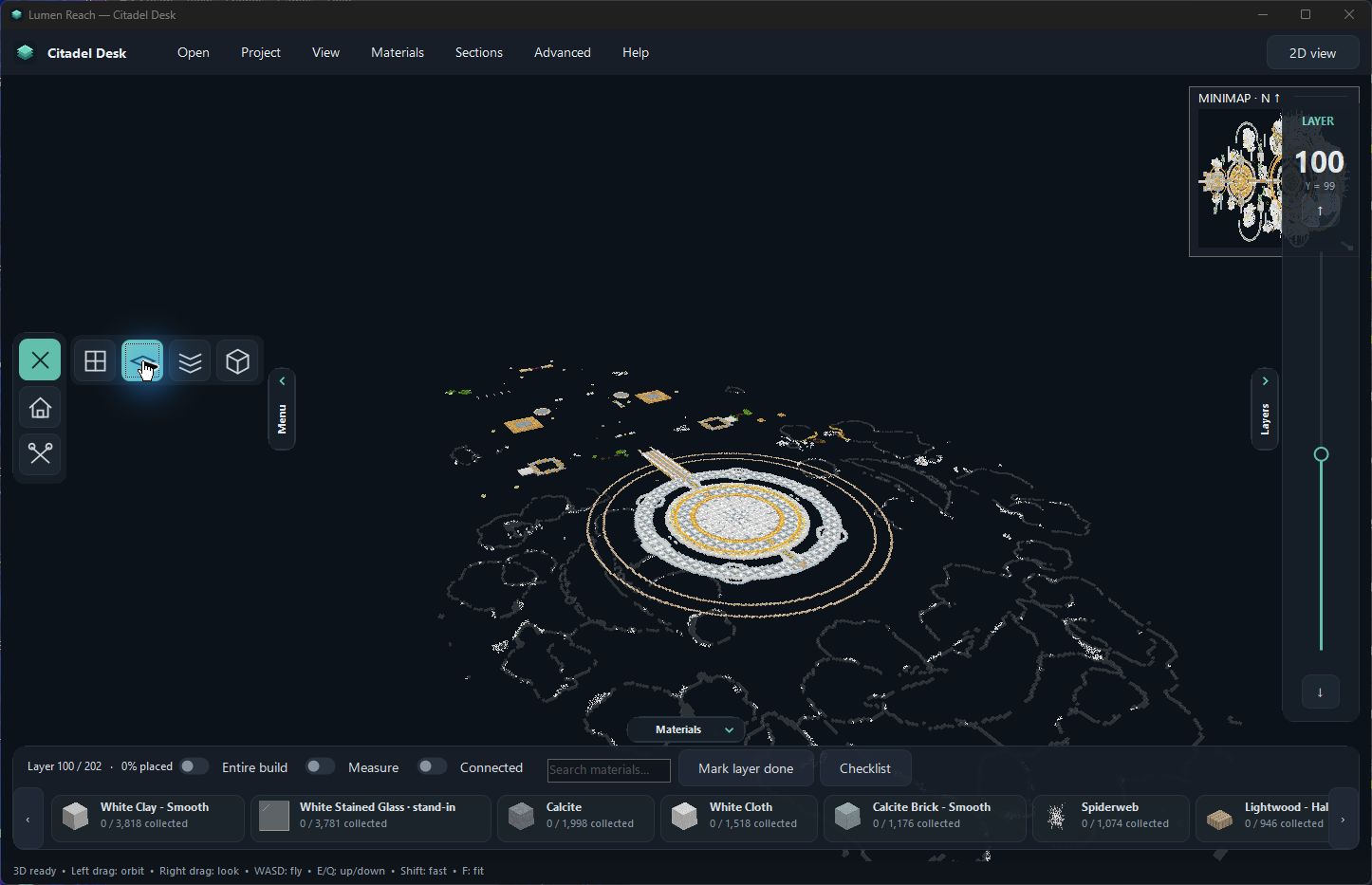
3D current layer
Inspect the selected layer separately from the full structure.
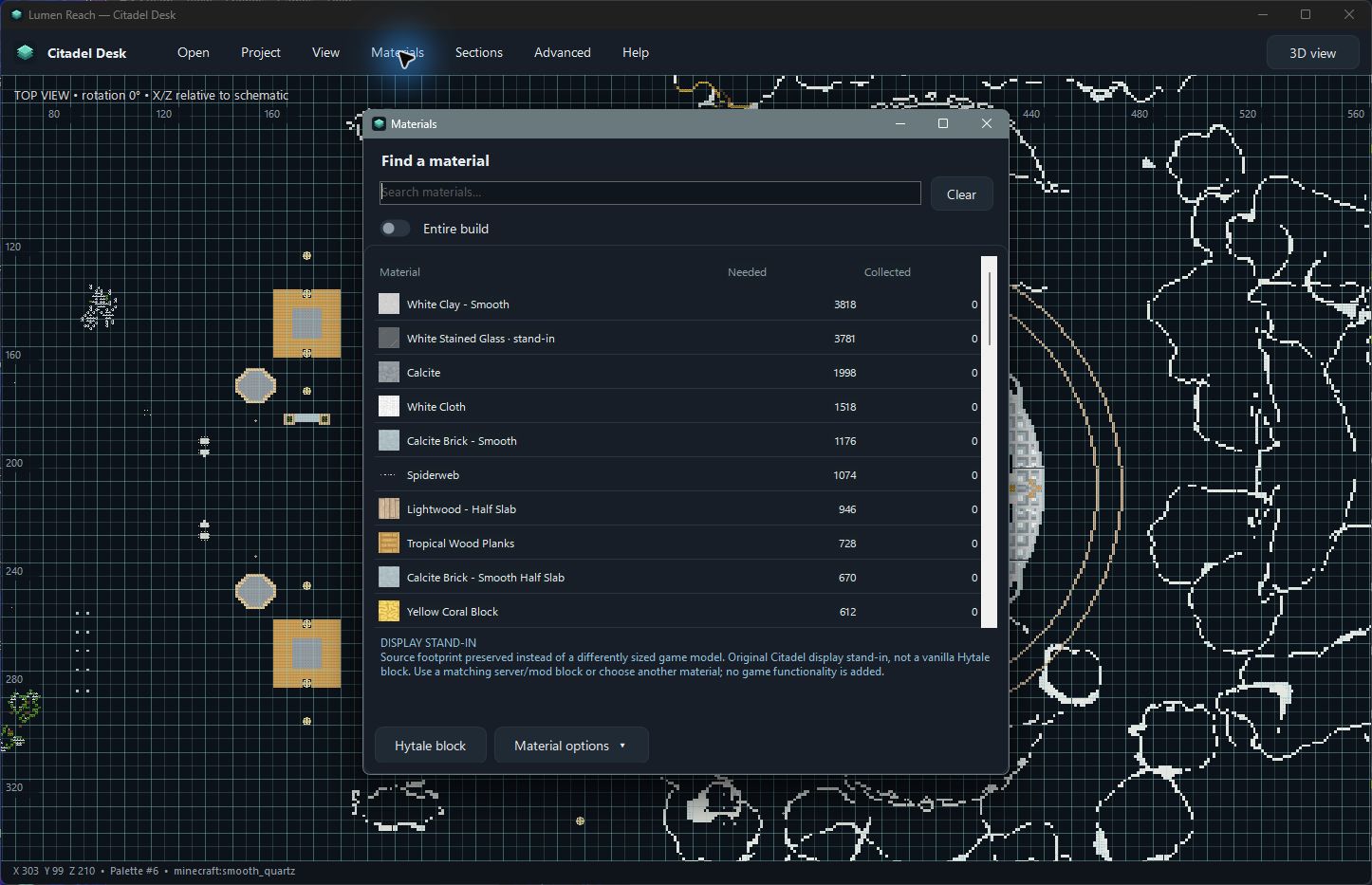
Material list
Review required materials and record what you have collected.
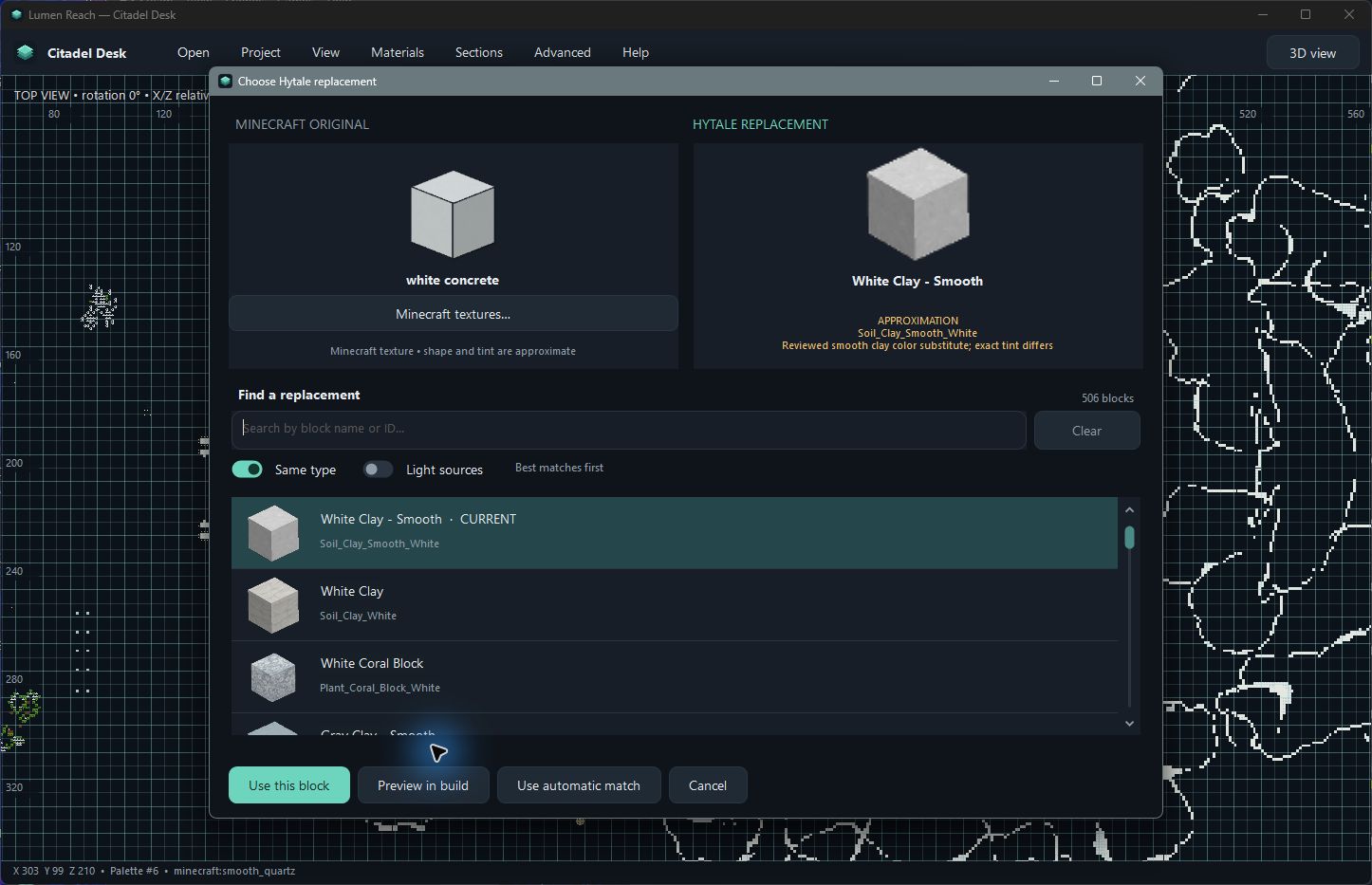
Material matching
Compare the source material with the suggested Hytale block.
What the video shows
Real Citadel Desk footage with on-screen feature labels and an instrumental soundtrack. The demonstrations are also understandable with sound muted.
- 0:00–0:15 — Explore in 3D
- Move through a detailed structure and inspect the full model from different angles.
- 0:15–0:22 — See the 2D plan
- Zoom into the layer plan to inspect individual blocks.
- 0:22–0:29 — Focus on the current layer
- Inspect an isolated layer in 3D.
- 0:29–0:40 — Track blocks and complete a layer
- Manually check placed blocks and see the real visual result of marking a layer complete.
- 0:40–0:47 — Measure a span
- Select two points and read the actual block-span measurement.
- 0:47–0:53 — Plan Minecraft builds for Hytale
- Import a Minecraft schematic and review suggested Hytale material matches.
- 0:53–1:00 — Plan it. Track it. Build it.
- Return to the full model and download Citadel Desk for Windows.